Blog / Product Update
We’re opening up Blockworks MCP to everyone.
Give your agent Blockworks Data. Your first $100 is on us.
By Blockworks ·
Starting today, anyone can connect Blockworks to Claude, ChatGPT, Cursor or any MCP client and start asking questions. No sales call. Claim your account and you get $100 of credits.
A month ago we opened the Blockworks MCP to API customers. Today we're opening it to everyone.
Sign in, claim $100 of credits, connect the AI you already use, and ask it what you'd ask an analyst. What's driving Solana revenue this quarter. Which stablecoins are growing, and on which chains. What unlocks are coming for the tokens you hold. Your agent answers with the same sourced, standardized data behind Blockworks Intel and our research, and shows its work.
Claim your account now and get $100 of credits
What people built in the first month
Our team has been building on the MCP since the day it went live. Here’s a few favorites:
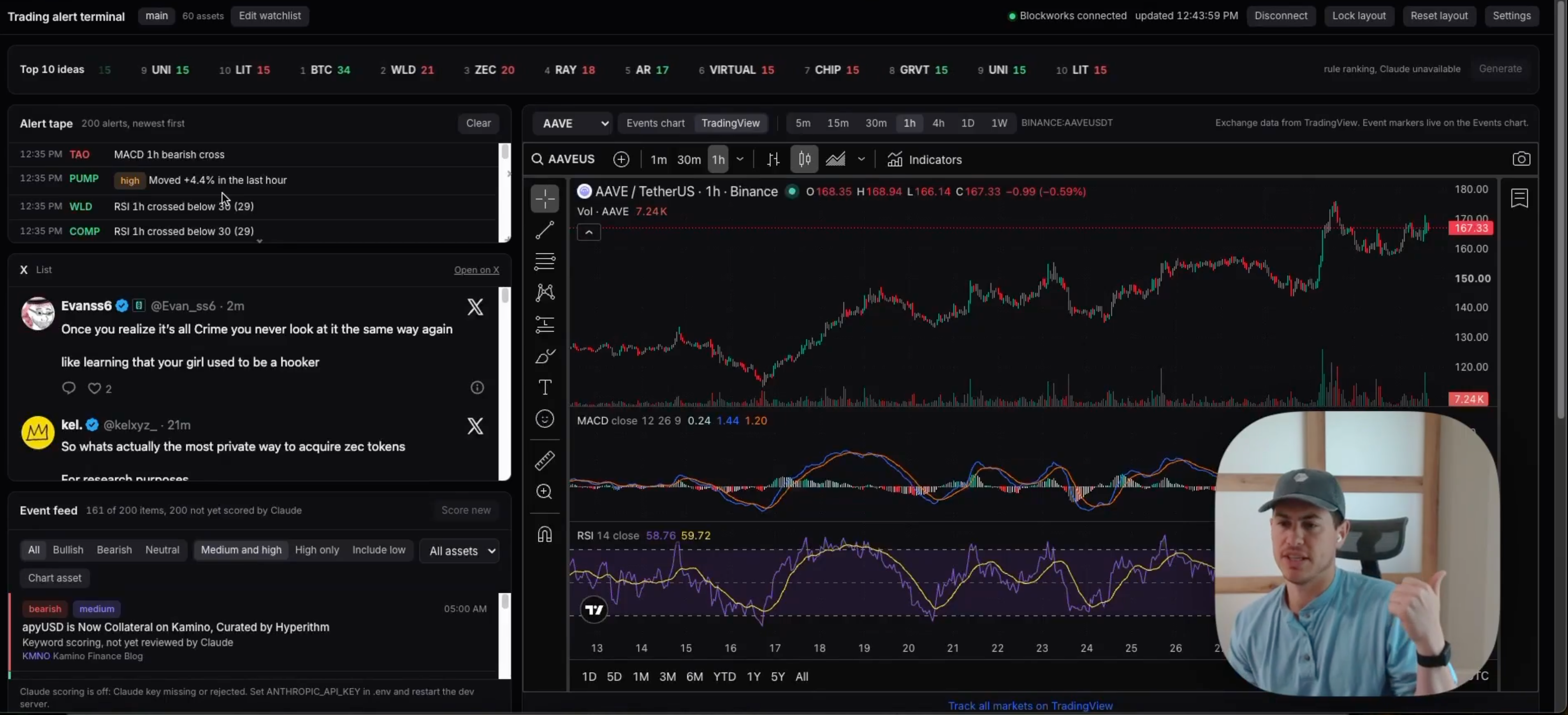
David built a trading terminal that tracks and contextualizes by bullish/bearish/neutral (against a watchlist of 60 assets:
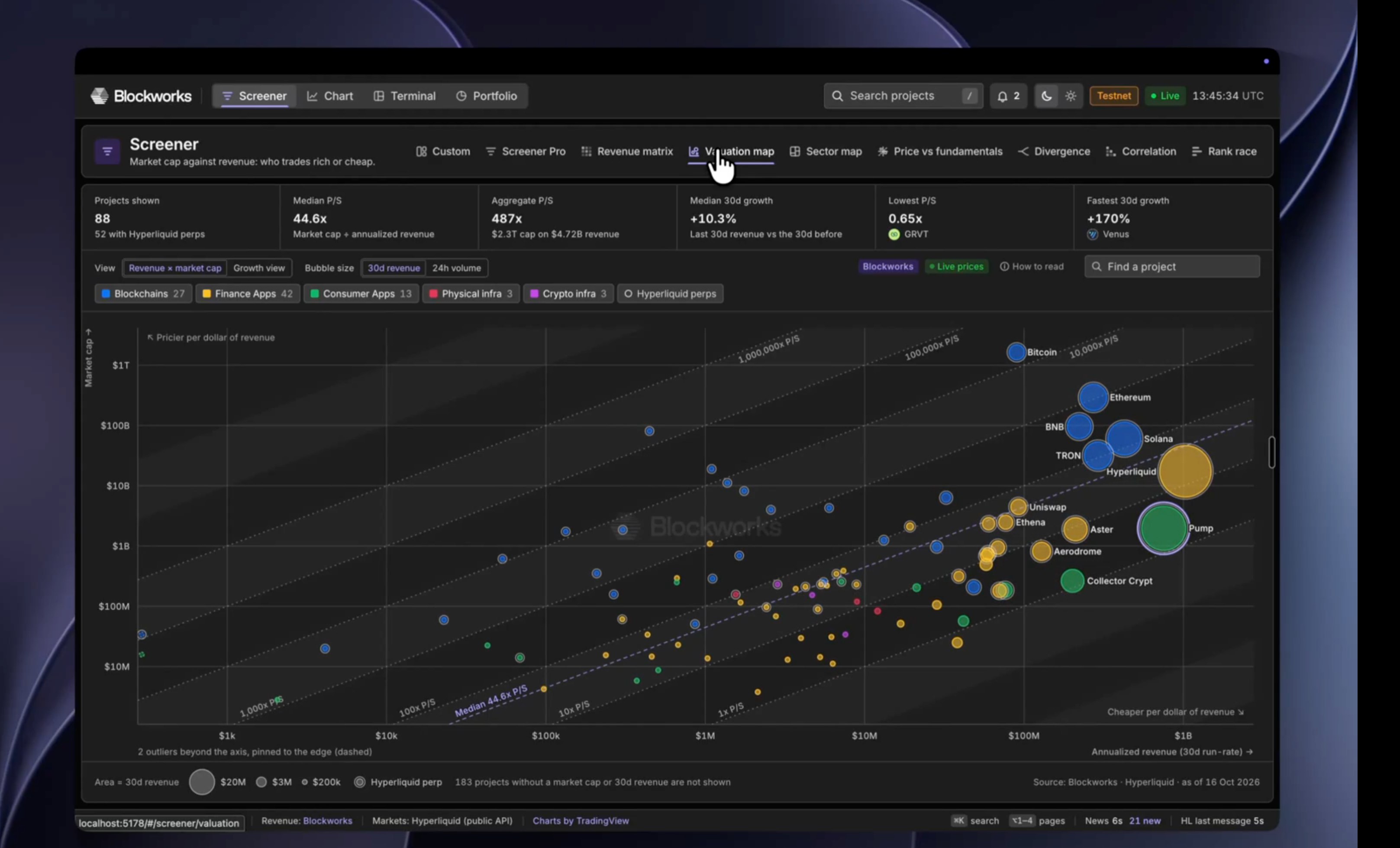
Shaunda combined Hyperliquid and Blockworks to build a trading execution desk with the deepest data and execution in the market.
Jason used the MCP to 10x the data an exchange could show their customers for a listed asset.
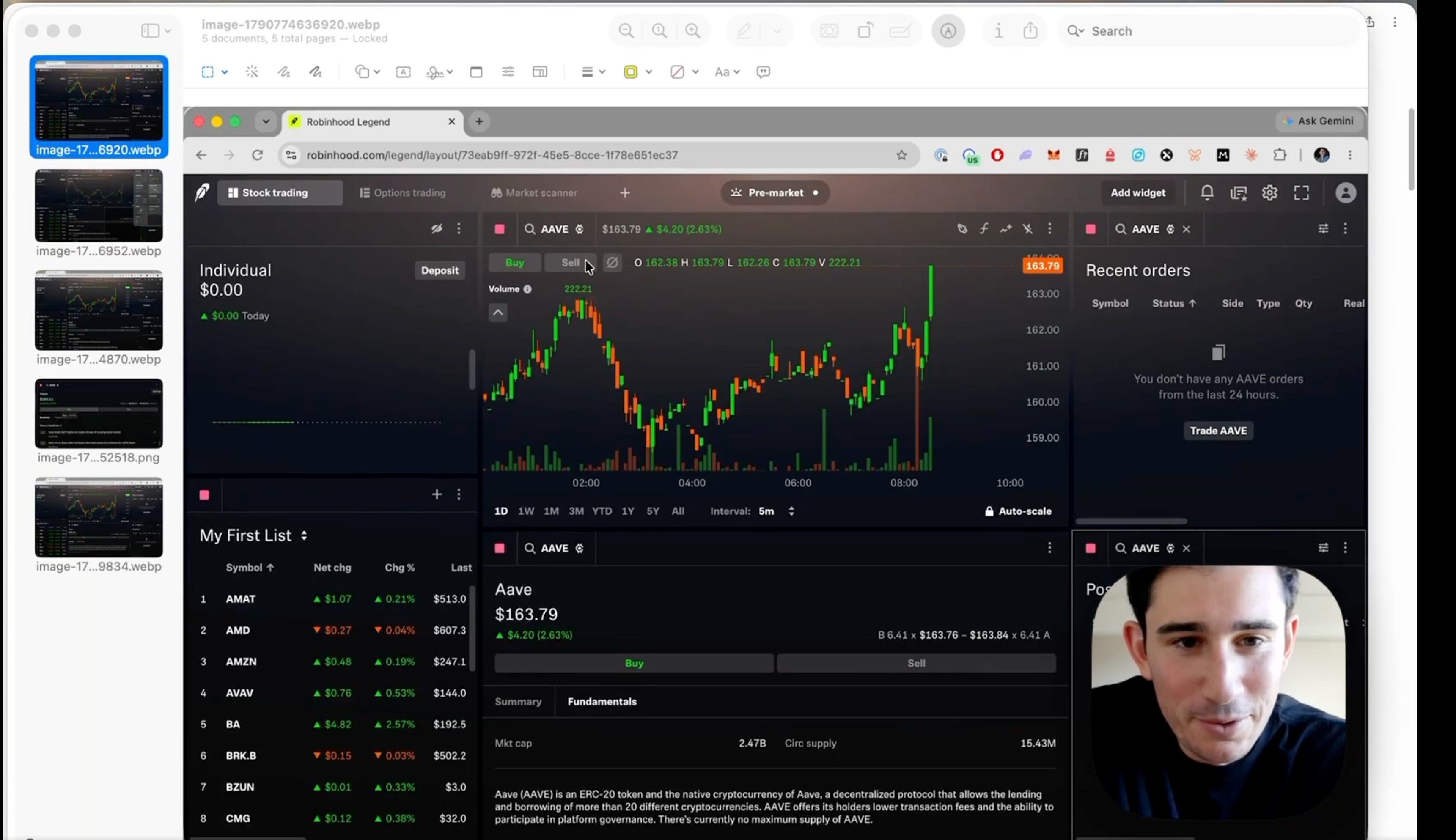
Each one started as a sentence typed into their LLM. The agent found the right datasets in our catalog, pulled what it needed and did the rest.
Claim your $100
Sign-up to first answer takes about a minute.
- Sign up or sign in at app.blockworks.com (Google sign-in works).
- Claim the credits: New sign-ups land on the claim page; existing free users see an in-app prompt.
- Connect: Add the Blockworks MCP to Claude, ChatGPT, Cursor or another MCP client and sign in with the Blockworks account, or copy the API key from the account page.
- Ask an example prompt: "What's driving Solana revenue over the last 90 days? Compare it to Robinhood and chart both."
- Track spend on the credit usage page, which shows daily usage and a per-dataset breakdown.
- When credits run out, the agent returns a message pointing the user to book time with the team.
Setup guides for each client are at docs.blockworks.com.
How the credits work
You get 10,000 credits, worth $100. They're spent as your agent pulls data, and you can see what you're using, by day and by dataset, on the credit usage page in your account.
Credits expire 30 days after you claim them, so start asking.
When they run out, your agent will tell you. Book time with our team and we'll set you up with full access.
Already a Blockworks API customer? Nothing changes for you. Your key and your MCP connection work as they do today.
Back to Blog
Markets, protocols, and policy, read by 200K+ professionals.